
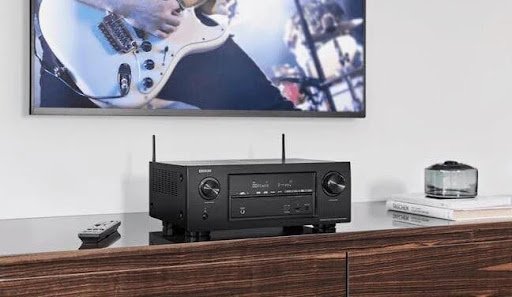
Got an AV receiver giving you a hard time? Don’t worry; you are not alone. Those little powerhouses, whether they are an AV amplifier, AV amp, or just plain old audio-visual receiver, can occasionally malfunction, but most issues are easy to troubleshoot. In this guide, we’ll show you how to track down and fix some of the most common AV receiver problems so you can get back to your movies, music, and games in no time.
Common AV Receiver Issues and Fixes
Here are some of the most common that you could encounter with your AV receiver and how you can solve them:
1. No Sound
You connect your brand-new audio receiver with Bluetooth, press play, and hear nothing. Silence can be maddening, but here are a few things to check:
Speaker Connections: Make sure all your speakers are connected properly. A loose wire or an incorrect terminal connection can kill your sound.
Input Source: Ensure your receiver is using the right input. It is a silly mistake, but it gets even the best of us at times.
Mute Settings & Volume: The issue is sometimes as simple as hitting the mute button inadvertently or having the volume completely lowered.
Speaker Settings in the AVR: Go into your AVR receiver’s menu and ensure the speakers are turned on. Also, ensure the setting matches the configuration of your speakers (e.g., 5.1, 7.1, etc.)
If these don’t work, reset your receiver to factory settings. Just be sure to write down your custom settings first!
2. Bluetooth Isn’t Pairing
Modern audio receivers with Bluetooth are godsends, but pairing issues can kill the party vibe. If your receiver isn’t pairing, here’s what to do:
Proximity Matters: Keep your device close to the receiver during pairing. Some AV amplifiers can be very particular about distance.
Clear Pairing List: In case your receiver has been paired to many devices in the past, it would not connect. Clear the pairing list and then try again.
Restart Everything: Nothing beats a good old restart of both the receiver and the Bluetooth device.
Update Firmware: Make sure the receiver’s firmware is up to date. Manufacturers often update to squash bugs, including connectivity issues.
3. Video Not Passing Through
Using your AV amp for video but getting nothing but a blank screen? Here are some fixes:
HDMI Connections: Check the HDMI cables for a secure connection on both the receiver and the TV. Likewise, ensure that the cables are of the high-speed variety and compatible with your setup.
Input Settings: Confirm the input and output settings on your audio-visual receiver match your source device (e.g., Blu-ray player, gaming console).
Enable ARC or eARC: If you’re using ARC (Audio Return Channel) or eARC, ensure it’s enabled on both the TV and receiver. This setting is often hidden in the system menus, so don’t be afraid to dig.
Test the Source Device: Plug the source device directly into the TV to rule out its role in the issue. If it does work, then the receiver is probably at fault.
4. Overheating Issues
If your AV receiver suddenly shuts down, overheating might be the culprit. These devices are powerful and need adequate ventilation. Still, here are some fixes:
Check Ventilation: Ensure that there is enough space around your receiver to dissipate heat. Do not pile other equipment on top of it, and avoid squeezing it into a tight shelf.
Clean the Vents: Dust can impede airflow, so hit those vents with a can of compressed air.
Reduce Load: Driving too many speakers or pushing your AV amplifier to maximum volume for extended periods can strain the system. Dial it back a notch to prevent shutdowns.
6. Distorted Sound
If your sound isn’t as crisp as you’d like, try these solutions:
Inspect the Cables: Loose or damaged speaker cables can cause distortion. Replace any frayed wires and ensure all connections are secure.
Adjust Audio Settings: Dive into your receiver’s equalizer settings and adjust the sound profile. Doing a factory reset can also sometimes kill weird audio problems.
Speaker Placement: Incorrect speaker placement can muddy the sound. Experiment with placements and use built-in calibration tools if available.
Final Thoughts
Troubleshooting your audio-visual receiver doesn’t have to be a nightmare. Whether it’s an issue with a high-tech audio receiver with Bluetooth or a reliable old-school AV amp, most problems can be resolved with a little patience and know-how.
Remember, regular maintenance goes a long way in keeping your system running smoothly. Dust it off, check the connections periodically, and don’t forget to update the firmware when needed.
Frequently Asked Questions (FAQs)
Why is my AV receiver not producing any sound?
This usually happens due to incorrect speaker connections, the wrong input source, muted volume, or disabled speaker settings in the receiver menu. Double-check all wiring, input selections, and volume levels. If all else fails, consider performing a factory reset after saving your custom settings.
How do I fix Bluetooth pairing issues with my AV receiver?
Start by keeping your device close to the receiver during pairing, clear previously paired devices from the receiver, restart both devices, and ensure the receiver’s firmware is up to date. Firmware updates often resolve connectivity bugs.
Why isn’t video passing through my AV receiver to the TV?
Confirm that all HDMI cables are securely connected and are high-speed compatible. Make sure the receiver’s input/output settings are correct for your source device. If using ARC or eARC, ensure it is enabled on both the TV and receiver. Test the source device directly on the TV to isolate the issue.
What causes an AV receiver to overheat and shut down?
Overheating can occur due to poor ventilation, dust-clogged vents, or pushing the receiver too hard (e.g., too many speakers or high volume for long periods). Ensure proper airflow, clean the vents, and reduce the system load if necessary.
Why is the sound from my receiver distorted?
Distorted audio often stems from loose or damaged speaker cables, incorrect audio settings, or poor speaker placement. Ensure cables are secure, adjust your receiver’s audio settings, and use calibration tools if available.
How often should I update the firmware on my AV receiver?
Check for firmware updates every few months or whenever you encounter connectivity or performance issues. Updates often include bug fixes, improved stability, and added features.
When should I consider a factory reset?
A factory reset is useful when multiple issues persist despite troubleshooting—such as audio glitches, connectivity problems, or incorrect settings you can’t trace. Always note your custom settings before resetting.
Is it safe to place other devices on top of my AV receiver?
No. Stacking devices on top can block ventilation and cause overheating. Keep the top and sides of your receiver clear to ensure proper airflow.
How can I prevent common AV receiver problems?
Perform regular maintenance: clean vents, check cable connections, avoid overcrowding your rack with heat-producing devices, and update firmware. Proper setup and care significantly extend the receiver’s lifespan.
What should I do if none of the troubleshooting steps work?
If issues persist, consult the receiver’s manual, reach out to customer support, or contact a qualified technician. The problem may be internal and require professional repair.