
As the academic landscape in 2026 becomes increasingly digitized students are no longer just managing books and pens but are essentially managing a digital workspace. The Sparx Learning ecosystem has become a staple of the British secondary school experience providing structured and adaptive homework for Maths Science and Reading. While these three subjects share the same underlying pedagogical DNA they often exist as distinct digital islands. For a student trying to complete a full evening of homework moving from a biology quiz to a literature chapter and then to a geometry task can feel like navigating a maze of different tabs URLs and login screens. This friction is a significant hurdle that can lead to missed assignments and unnecessary stress.
Understanding the relationship between these different portals is the key to a smoother homework experience. At Sparx Reader we have spent years documenting the quirks of this system to help students and parents move fluidly between subjects without losing their progress or their patience. This manual provides a clear roadmap for navigating the Sparx ecosystem ensuring that you spend your time learning the material rather than fighting the interface.
The Unified Login Architecture: One Identity for Three Subjects
The most important thing to understand about the Sparx ecosystem is that while the websites are different your identity is the same. Whether you are accessing Sparx Maths Sparx Science or Sparx Reader your school has created a single user profile for you that works across all three. This is almost always tied to your school email address via Single Sign-On (SSO) using either Google Workspace or Microsoft 365.
This unified architecture means that if you are successfully logged into one subject you are technically authenticated for all of them. However the platforms do not always automatically “hand over” your session when you switch tabs. If you move from sparxmaths.com to sparxscience.com the new site may still ask you to click the login button and select your school. Because your browser already holds your session token clicking the “Log in with Google” or “Log in with Microsoft” button should instantly bypass the password screen and drop you into your dashboard. The “Lost” feeling usually occurs when a student tries to create a new password or a second account for a different subject instead of simply using the same SSO route they use for Maths.
Navigating the Three Portals: URLs and Visual Cues
To avoid getting lost you must first know the specific digital address for each subject. Each portal has its own unique color scheme and interface layout designed to help you quickly identify where you are.
- Sparx Maths (Blue Theme): Found at https://sparxreaders.co.uk/sparx-maths-login/. This is usually the primary hub for most students. It features the familiar “Bookwork Checks” and the orange progress bar.
- Sparx Reader (Purple Theme): Found at sparxreader.com. This portal looks significantly different as it is focused on a text-heavy ebook reader interface. Your goal here is Sparx Reader Points (SRP) rather than XP.
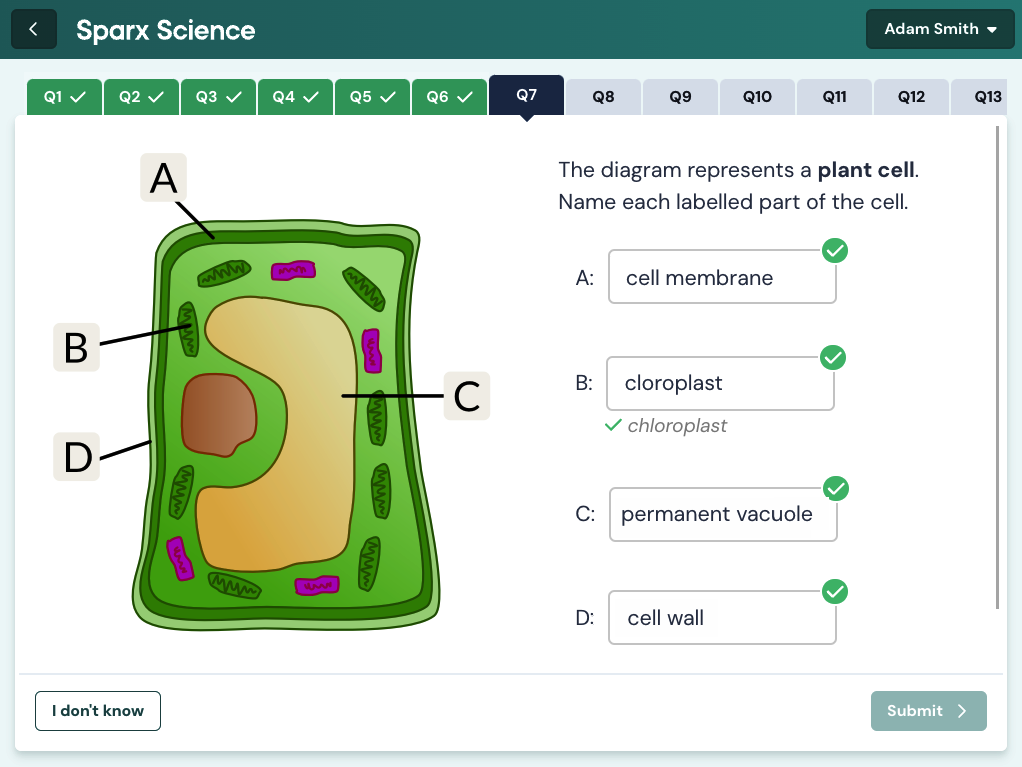
- Sparx Science (Green Theme): Found at https://sparxreaders.co.uk/sparx-science-login/. This is the newest addition to the family and is organized by Biology Chemistry and Physics topics. It uses an XP system similar to Maths but with a focus on flashcards and retrieval practice.
Because these sites are hosted on different domains your browser treats them as separate entities. If you are using a school Chromebook or a personal laptop the best way to move between them is to create a “Sparx Folder” in your bookmarks bar. Having all three links in one place allows you to jump from Reading to Science with a single click. Without these bookmarks students often find themselves searching “Sparx” on Google and accidentally clicking on the teacher login page or the help center instead of their student dashboard.
The “Single Sign-On” Loop and How to Break It
A common point of confusion occurs when a student is logged into Sparx Maths but finds themselves “locked out” of Sparx Science. This is often caused by a cache conflict where the browser is trying to use an old session for one subject while holding a new one for another. If you click the login button and the page simply refreshes without taking you to your homework you are in an SSO loop.
To break this loop you do not need to change your password. Instead you should sign out of the subject you were just working on before trying to open the next one. For example if you finish your Maths homework click your name in the top right corner and select “Log out.” Then navigate to the Science portal. This “Clean Handover” ensures that the authentication system doesn’t get confused by multiple open sessions. On our independent platform at Sparx Reader we frequently remind users that “Refreshing the session” is the digital equivalent of closing one textbook before opening another.
Moving Between Subjects on Mobile and Tablets
The experience of moving between subjects is slightly different on mobile devices. While there is no single “Sparx App” that contains all three subjects the mobile web interface is highly optimized. Many students make the mistake of trying to use the back button to move between subjects which often leads to “Session Expired” errors.
On a smartphone or tablet the most efficient way to navigate is to use the browser’s “Add to Home Screen” feature for each portal. This creates three separate icons on your phone that look and act like individual apps. This allows you to treat your homework like a suite of mobile tools. You can finish your Science flashcards on the bus close that window and then open your Reading ebook just as easily as you would switch from Instagram to TikTok. This “App-style” navigation is far more reliable than trying to manage multiple open tabs in a mobile browser where memory constraints can cause background tabs to refresh and lose your place in a quiz.
Managing Multiple Deadlines Across the Ecosystem
One of the biggest challenges of moving between three different Sparx platforms is keeping track of three different sets of deadlines. Maths Science and Reading might all have different hand-in days depending on your school’s department policies. Sparx Maths might be due on a Tuesday while Sparx Reader is due on a Friday.
The “Parent Portal” is actually the best place to see a unified view of all three subjects. If your parents have linked their email to your account they can see a single dashboard that lists the completion status for Maths Science and Reading in one list. For students the best way to stay organized is to use the “Independent Learning” section available in both Maths and Science. If you finish your compulsory homework early you can switch portals to do “XP Boost” or “Target” tasks. This centralized effort ensures that even though you are moving between different websites your total academic progress is being tracked and rewarded in a consistent way.
The Future of a Unified Dashboard
While the current system requires students to visit three separate URLs there is a clear trend toward a more integrated experience. Some schools have already begun using “Portal Pages” or internal VLEs (Virtual Learning Environments) that embed all three Sparx links into a single student homepage. Until a fully unified “Sparx Hub” is released by the developers independent guides like ours at Sparx Reader fill the gap by providing the technical bridge.
Navigating the Sparx ecosystem is about understanding that while the subjects are different the “Key” to the door is always the same. By organizing your bookmarks understanding the SSO process and managing your browser sessions you can turn a potentially confusing digital experience into a streamlined routine. Technology should be a tool that facilitates learning not a barrier that stands in its way. By mastering the move between Reading Maths and Science you are developing the digital fluency that will serve you well long after you have finished your secondary school homework.